
- Log in to your Salesforce account.
- Click Setup at the upper-right corner.
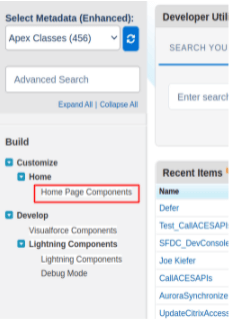
- Under the Build Section Customize => Home, click Home Page Components or you can search for components on the search bar.
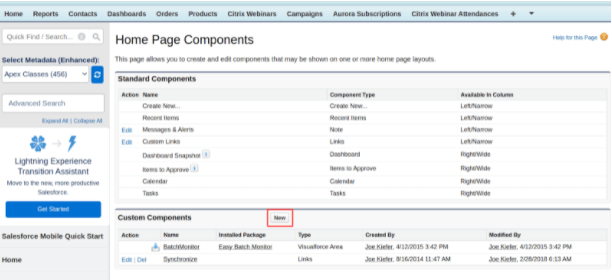
- After Clicking Home page Components the following screen will be shown. Click the New button.
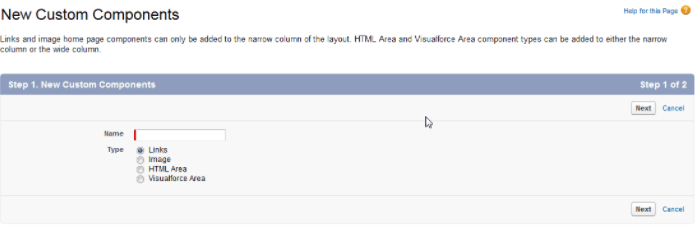
- Enter name and select Type of component
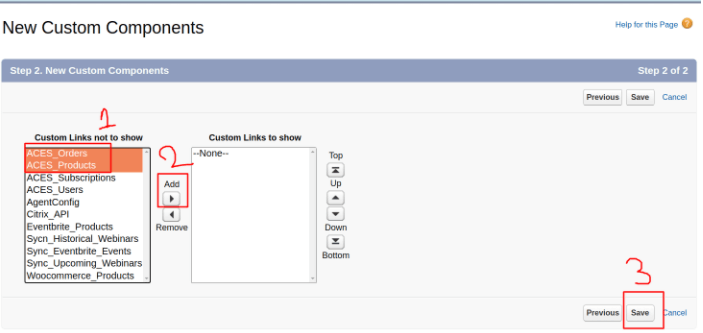
- In my case I have selected Links and choose appropriate links and click Add button and then Save.
- After adding, we need to add it to the Home Page Layout to show in the frontend. For this search, Home Page Layout under the Build Section Customize => Home, click Home Page Layout
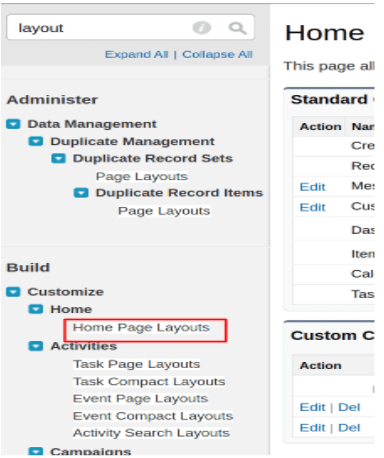
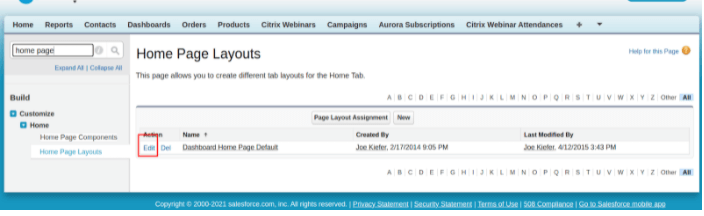
- Edit Home page layout
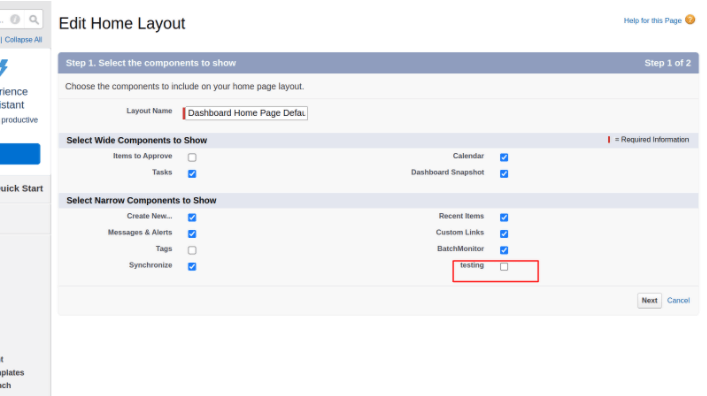
- I have added Testing as a custom component for which I have selected Links to show on the Home page. Check the checkbox, click Next, and Save.
It will show to the Home page of salesforce like the following:-
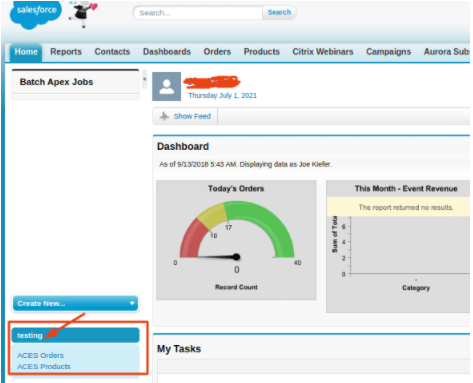
Add Custom Components to Home Page
|