
Amazon API Gateway is a fully managed service offered by Amazon Web Services that enables developers to design, publish, secure, and manage APIs at scale. It functions as a gateway that allows communication between client applications (such as web apps, mobile applications, or external services) and backend systems, including AWS Lambda, Amazon EC2, or other HTTP-based services.
With API Gateway, developers can handle large volumes of API requests while the service manages tasks such as authentication, request routing, throttling, and monitoring.
What is AWS API Gateway?
Amazon API Gateway is commonly used in serverless architectures to connect frontend applications with backend services.
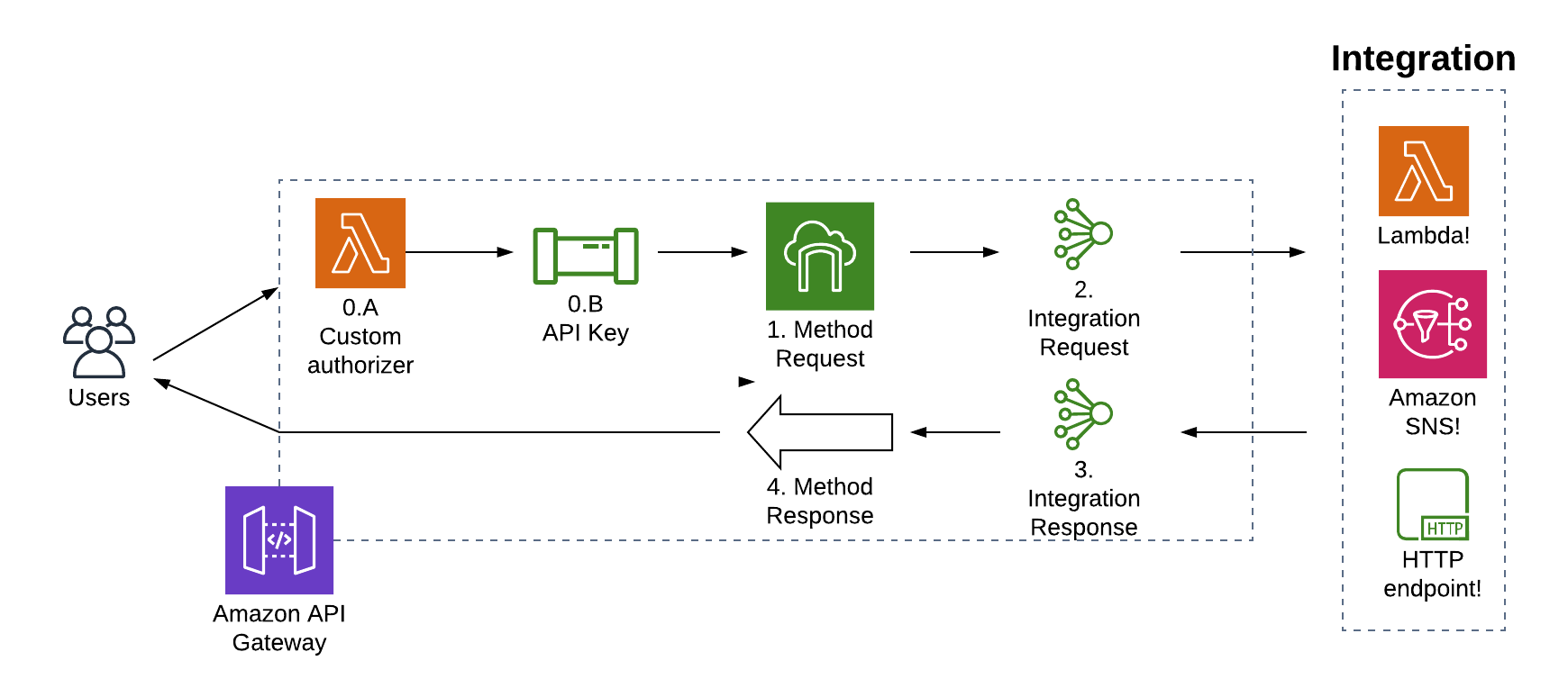
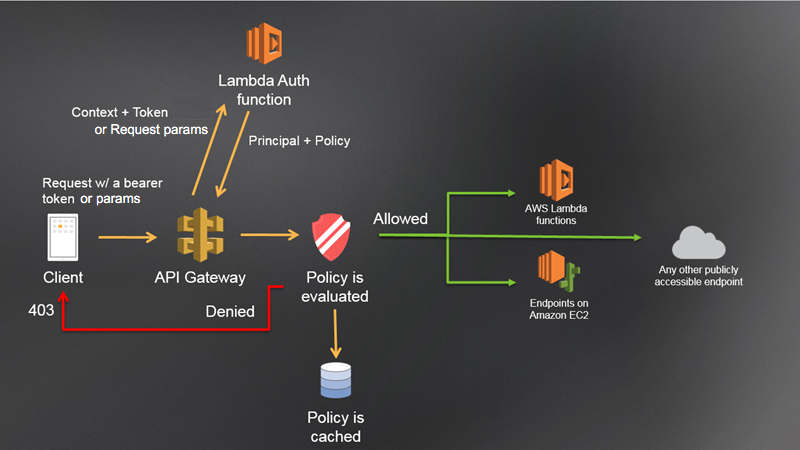
Typical request flow
- A client application (for example, a browser or mobile app) sends an HTTP request.
- API Gateway receives the request.
- The request is forwarded to the appropriate backend service through API Gateway.
- The backend service handles the request and prepares a response.
- The API Gateway then delivers this response back to the client.
Backend services may include:
- AWS Lambda
- Amazon EC2
- Amazon DynamoDB
- External APIs or microservices
Key Features of API Gateway:
1. API Creation and Management
API Gateway allows developers to build different kinds of APIs, including REST APIs, HTTP APIs, and WebSocket APIs.
2. Security and Authentication
API Gateway provides several authentication options to secure APIs.
These include:
- IAM roles
- API keys
- Lambda authorizers
- OAuth / JWT authentication
Example:
| Client Request → API Gateway → Authentication → Backend Service
|
3. Throttling and Rate Limiting
API Gateway helps protect backend services by controlling the number of incoming requests.
Example configuration:
Rate Limit: 100 requests per second
Burst Limit: 200 requests
This configuration prevents backend systems from being overwhelmed by excessive traffic.
4. Monitoring and Logging
API Gateway integrates with monitoring services such as:
- Amazon CloudWatch
- AWS X-Ray
These services help track API performance, latency, and errors.
Example 1: API Gateway with AWS Lambda
Connecting API Gateway with Lambda functions is one of the most common use cases.
Use Case
A mobile application needs to fetch user information.
Architecture:
| Mobile App → API Gateway → Lambda Function → Database |
Example Lambda Function (Node.js)
| exports.handler = async (event) => { const response = { statusCode: 200, body: JSON.stringify({ message: “Hello from Lambda via API Gateway” }), }; return response; }; |
API Endpoint
| https://api.example.com/users |
When a request is sent to this endpoint, API Gateway triggers the Lambda function.
Example 2: API Gateway with EC2
API Gateway can also forward requests to applications running on Amazon EC2.
Example architecture:
| Client → API Gateway → EC2 (Node.js / Java / Python app) |
Example request:
| GET /products |
API Gateway sends the request to the EC2 instance running the backend application.
Example 3: API Gateway with Microservices
In a microservices architecture, the API Gateway works as a central entry point.
Example
| Client ↓ API Gateway ↓ ———————— User Service Order Service Payment Service Inventory Service |
Each service performs a specific task, while API Gateway manages the routing of requests.
Creating an API Gateway (Step-by-Step)
Step 1: Open AWS Console
Go to the AWS Management Console and search for API Gateway.
API Gateway Dashboard
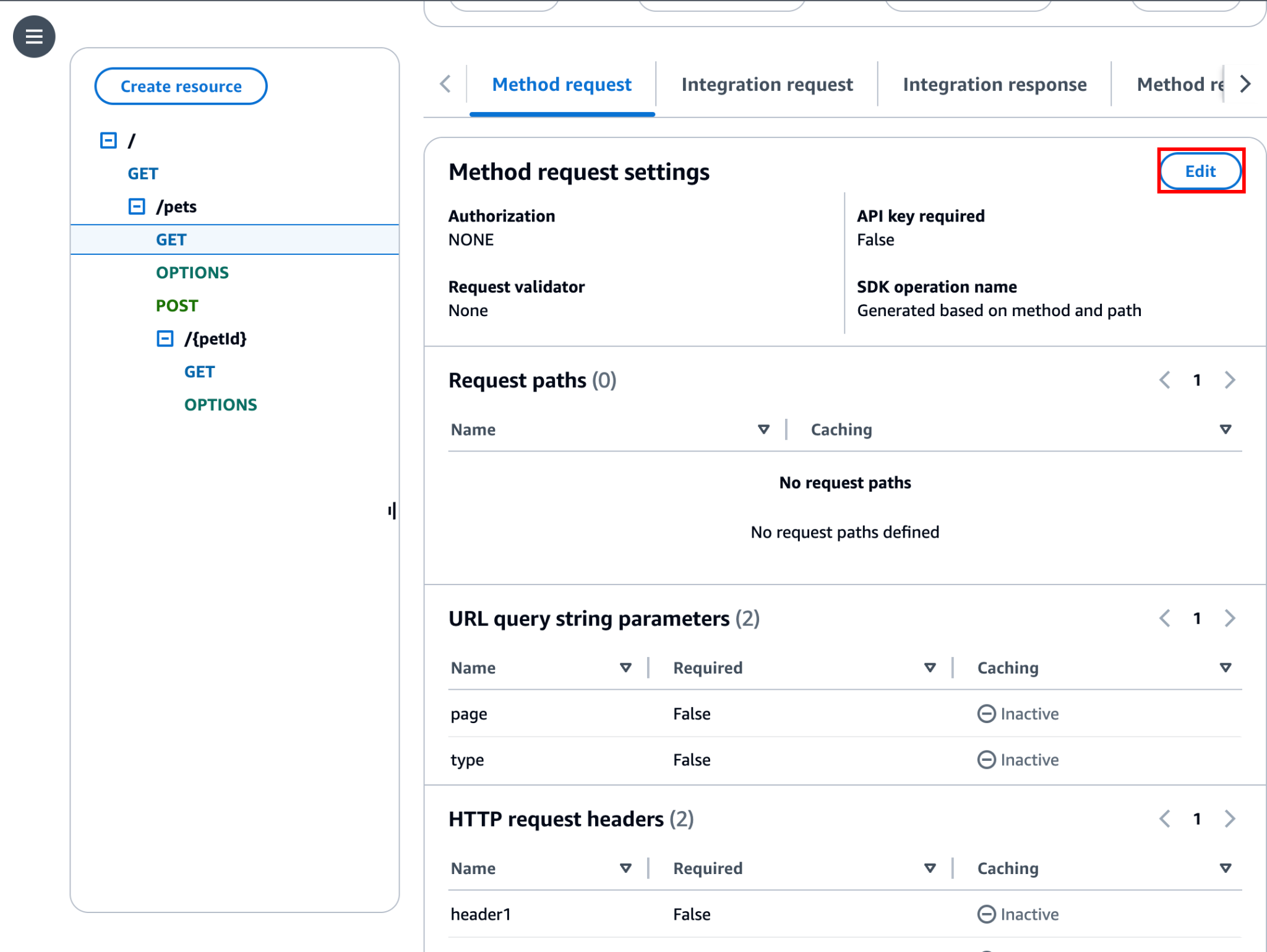
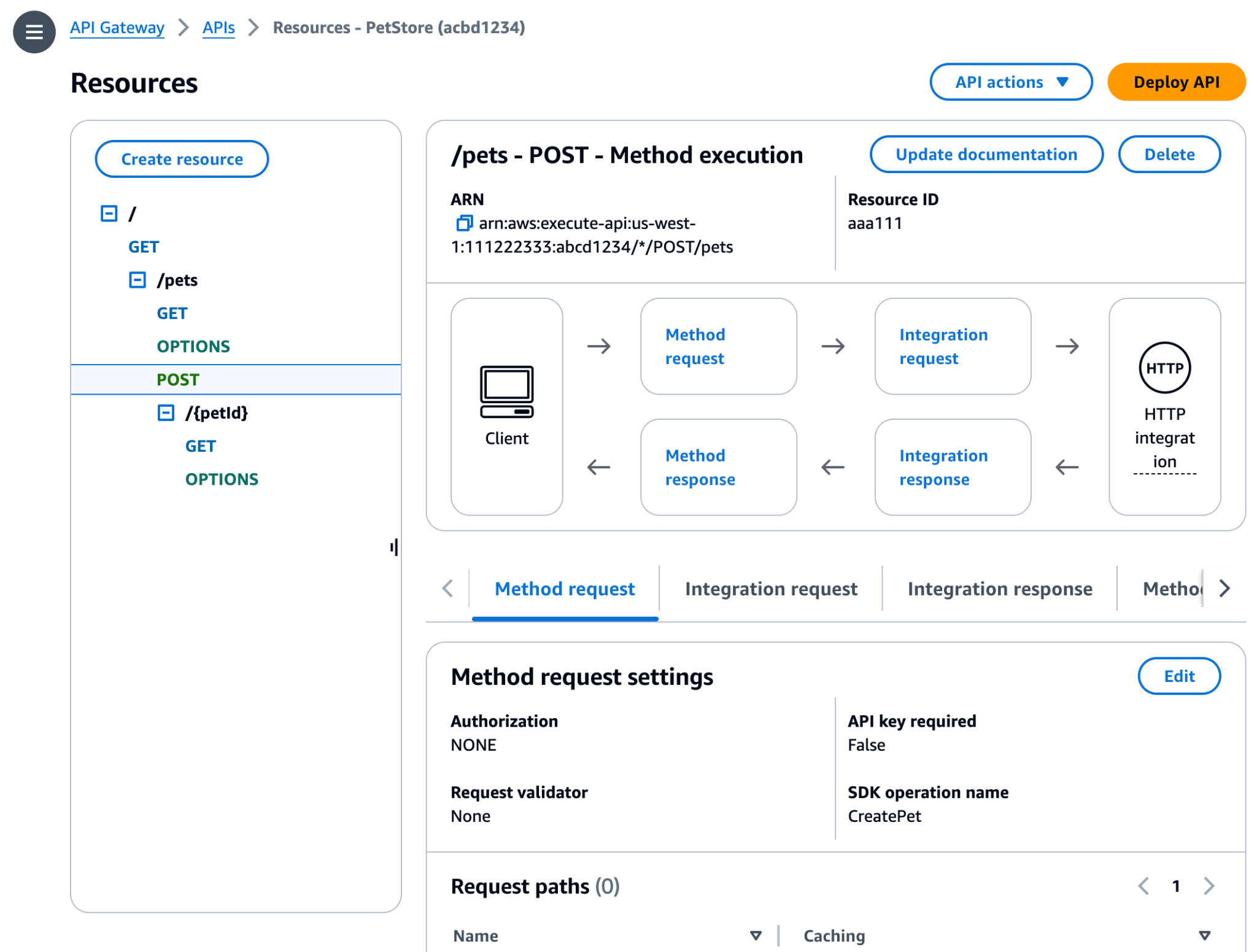
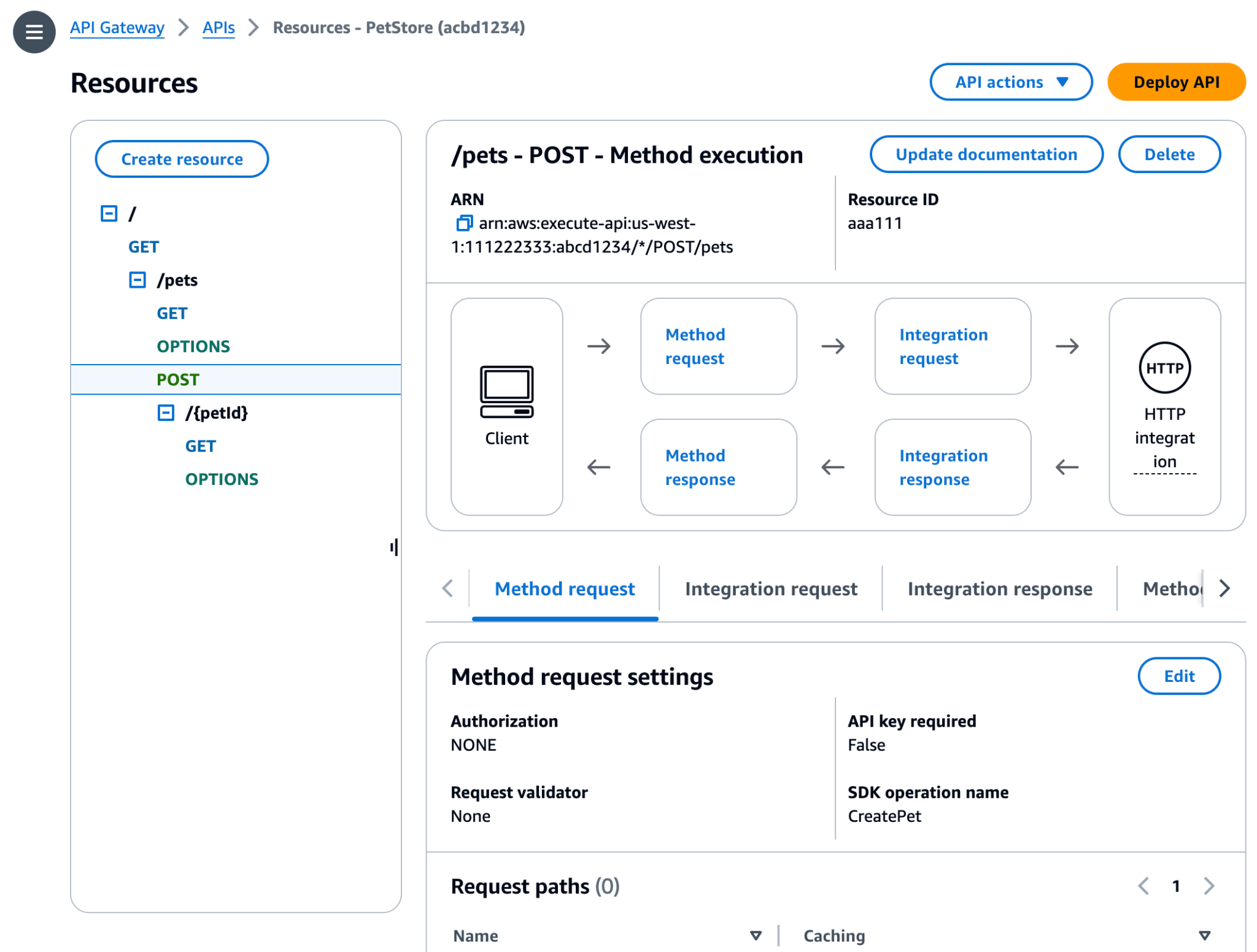
Step 2: Create a New API
Select the API type:
- REST API
- HTTP API
- WebSocket API
Example selection:
| Create API → HTTP API → Build |
Step 3: Define API Routes
Example routes:
| GET /users POST /orders GET /products |
These routes determine how incoming requests will be processed.
Step 4: Connect Backend Integration
Choose backend integration:
- Lambda function
- HTTP endpoint
- AWS service
Example:
| Integration Type: Lambda Function Name: getUsersFunction |
Step 5: Deploy the API
After completing the configuration, deploy the API to a stage.
Example stage:
| Stage: Production Endpoint: https://abc123.execute-api.us-east-1.amazonaws.com/prod |
Once deployed, the API becomes publicly accessible.