
In today’s DevSecOps approach, security checks should start early in development so that vulnerabilities are caught before the software goes into production. GitLab Ultimate helps you achieve this by embedding Static Application Security Testing (SAST) and Software Composition Analysis (SCA) directly into your CI/CD pipelines.
This post explains how these two critical security features work in GitLab Ultimate and how you can configure them with real-world examples.
What is Gitlab Ultimate:
It’s an all-in-one DevSecOps solution that helps teams manage code, automate pipelines, and secure applications with built-in security and compliance features.
What is SAST?
SAST (Static Application Security Testing) scans your source code for vulnerabilities without executing it. It detects insecure coding patterns such as:
- SQL Injection
- Cross-Site Scripting (XSS)
- Hardcoded secrets
- Insecure function usage
SAST is valuable because it catches issues at the code stage, before they reach production.
Example: Enabling SAST in GitLab Ultimate
To enable SAST, simply add the sast template to your .gitlab-ci.yml.
| include: – template: Security/SAST.gitlab-ci.yml stages: – build – test – security sast: stage: security |
Once committed, GitLab automatically scans your code on every pipeline run and generates a SAST report in the Security Dashboard in Gitlab.
Example SAST finding:
| { “vulnerability”: “SQL Injection”, “file”: “src/userController.js”, “line”: 42, “severity”: “High”, “solution”: “Use parameterized queries” } |
Following is an example of how the issue will show in the vulnerability report:

By clicking on this specific issue, a detailed view will open, explaining the cause and solution.
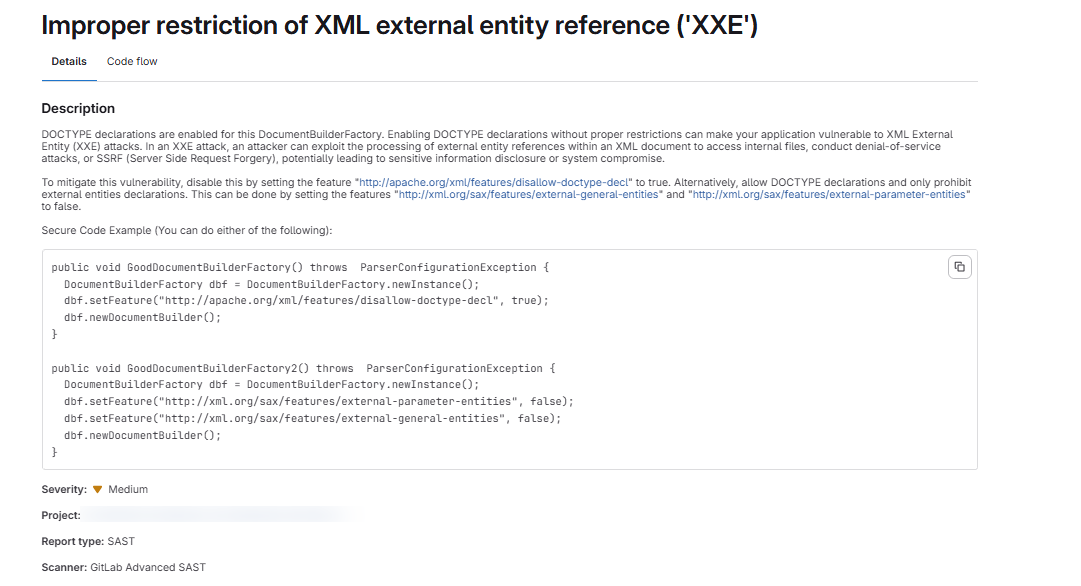
The benefit of the GITLAB Ultimate scan is that it also provides the solution, and after making appropriate changes, the issue will be removed from the Scan report.
What is SCA (Software Composition Analysis)
SCA focuses on your dependencies and third-party libraries. Instead of analyzing your source code directly, it checks for known vulnerabilities in:
- NPM packages
- Maven dependencies
- Python pip modules
- Docker base images
SCA uses databases like the National Vulnerability Database (NVD) and flags outdated or insecure components.
Example: Enabling Dependency Scanning (SCA)
In GitLab Ultimate, SCA is implemented via Dependency Scanning. Add the following to your .gitlab-ci.yml:
| include: – template: Security/Dependency-Scanning.gitlab-ci.yml stages: – build – test – security dependency_scanning: stage: security |
GitLab checks your package.json, pom.xml, requirements.txt, or other manifest files against vulnerability databases.
Example: SCA finding
| { “dependency”: “lodash”, “version”: “4.17.11”, “vulnerability”: “Prototype Pollution”, “severity”: “Critical”, “fixed_version”: “4.17.21” } |
Following is an example of how the issue will show in the vulnerability report:

Detailed View of the issue:
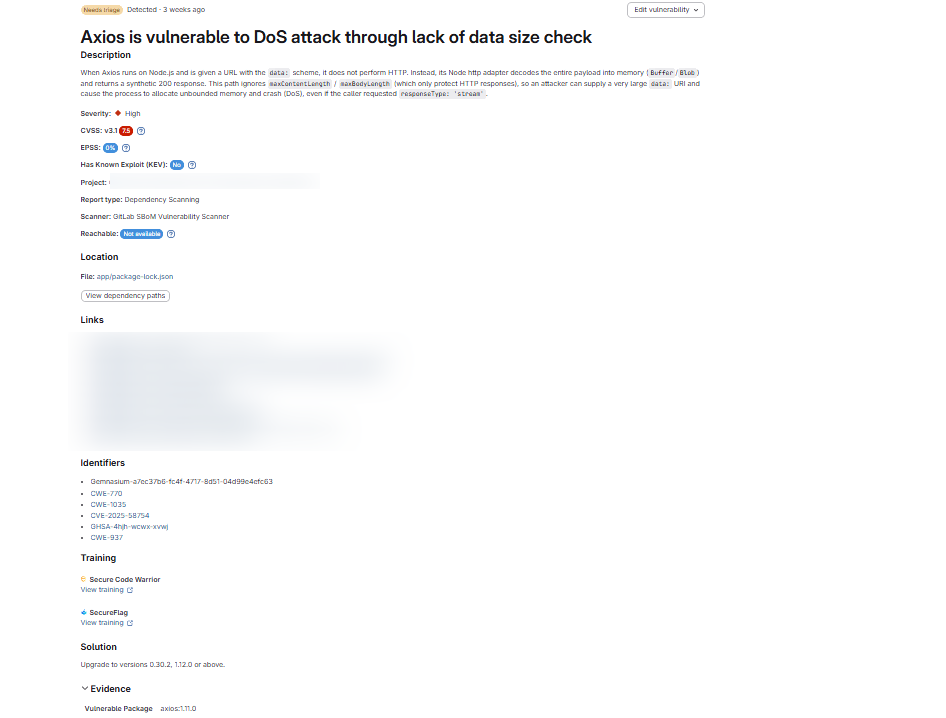
The solution to this issue is to upgrade the axios package to a higher version, and when we resolve this issue and deploy, the issue will be removed from the report.
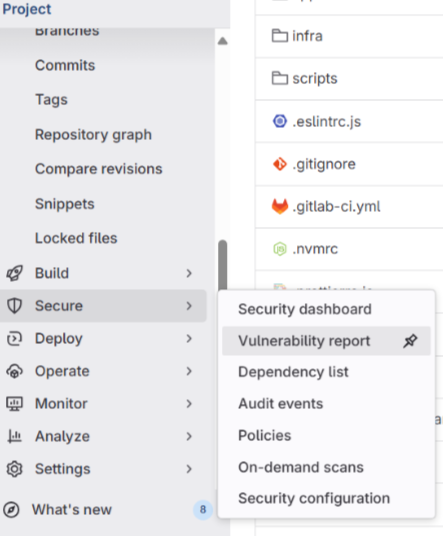
Viewing Results in GitLab
Both SAST and SCA results appear in:
- Merge Request Widget – Developers can see vulnerabilities before merging.
- Security Dashboard – Security teams get an overview of vulnerabilities across projects.
- Vulnerability Reports – Detailed findings with severity levels and remediation guidance.
Why Use GitLab Ultimate for SAST & SCA?
- Seamless integration – no external tools required.
- Actionable results – findings linked directly to your code.
- Compliance-ready – reports help with audits and regulatory checks.
- Team visibility – from developers to security teams, everyone stays aligned.
By leveraging SAST and SCA in GitLab Ultimate, you not only secure your applications but also build a culture of secure coding across your organization.